Neon LED Keyboard: RGB & Emoji
Maxlabs Personalization ToolsPersonalization
4.710.42K Reviews
- Version
- 4.4.3
- Installs
- 50.00M
- Age Rating
- Everyone
Screenshots
Our Review of Neon LED Keyboard: RGB & Emoji
 Analysis by Appyee
I like the idea behind Neon LED Keyboard: RGB & Emoji: it turns the keyboard you use all day into a personal style choice, rather than another plain part of the screen. The colorful look is the main draw, but practical details matter too. A keyboard has to feel comfortable in quick replies, long messages and searches—not just look good in a screenshot. My overall take is that this is best for people who enjoy visible customization and are willing to trade some simplicity for a more playful typing setup.
It is a free personalization app from Maxlabs Personalization Tools, and its appeal is easy to understand: themes, lighting effects, fonts, emojis and GIFs all point toward making everyday typing feel more expressive. It has a 4.7 average from around 600,000 ratings, and more than 50 million installs, so it has clearly found a large audience. Those numbers suggest broad interest, but they do not tell you whether the bright visual style will suit your own eyes or habits. That part is worth judging for yourself.
Setting Up Your Neon Wonderland
Getting started with the Neon LED Keyboard: RGB & Emoji is as easy as pie. Once you download the app, it walks you through a simple setup process. Just follow the prompts to enable the keyboard in your settings, and voilà — you’re all set to start typing with style.
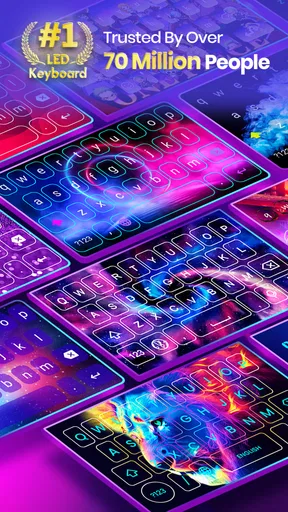
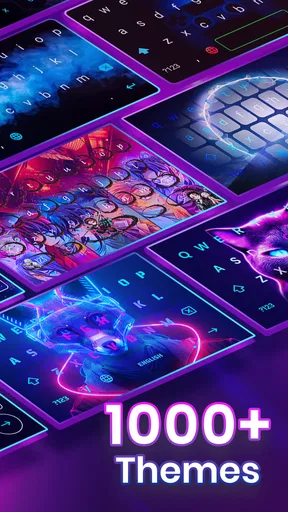
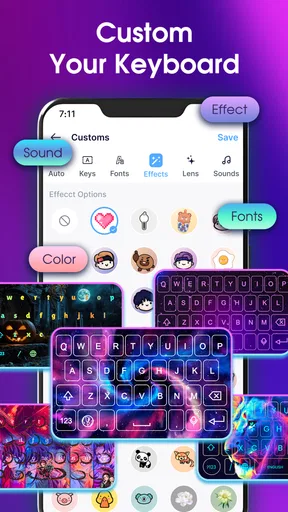
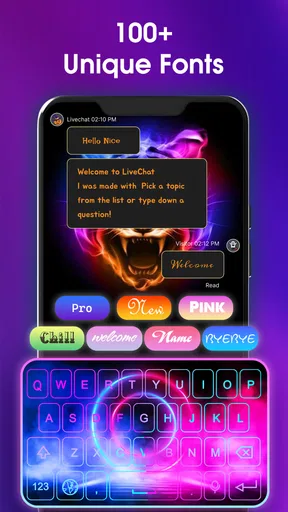
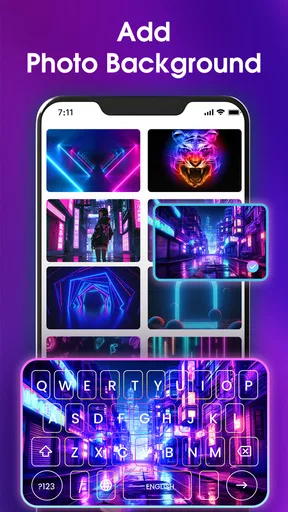
The app offers a delightful selection of customizable themes. Whether you’re into a subtle glow or a full-on rainbow explosion, there’s something for everyone. You can tweak the colors to match your mood or outfit, which I found pretty neat. Plus, switching between themes is a breeze, so you can keep your keyboard looking fresh at all times.
Features That Light Up Your Life
One of the standout features of this app is its extensive emoji collection. We’re talking about all the emojis you can imagine and then some. The app integrates seamlessly with your messaging platforms, so you can send those perfectly timed emojis without missing a beat.
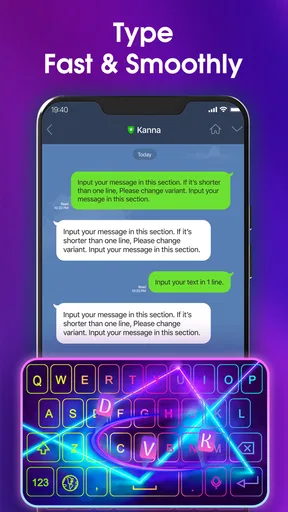
Then there’s the RGB lighting effects. These are not just for show; they add a whole new layer of fun to typing. You can adjust the brightness and speed of the effects, making sure your keyboard reflects exactly what you’re feeling. It’s like having your very own light show every time you type!
- Customizable themes
- Vast emoji library
- Adjustable RGB effects
Another cool feature is the auto-correct and predictive text, which keeps your typing accurate and efficient. This is especially handy when you’re in a hurry or trying to multitask. It’s like having a little helper making sure your messages are typo-free.
Making the Keyboard Work for You
A useful way to judge a decorative keyboard is to try it in the ordinary places where you type, not just in its theme preview. I’d start with a short message, then test a longer note and a search query. That gives you a feel for whether the visual effects remain comfortable when you are concentrating on words rather than admiring the colors. If the glow draws your eyes away from what you are writing, choose a calmer look; the point is to make typing feel personal, not distracting.
There is also a small workflow advantage to settling on one dependable theme instead of changing it every time you open the app. Pick a design with clear contrast between the keys and background, then keep it for a few days. That gives your fingers time to adjust and makes it easier to notice whether the keyboard itself suits your habits. A striking theme can be fun for casual chats, while a quieter one may be more comfortable for work messages or late-night use.
For example, imagine replying to a friend while waiting for a bus, then switching straight to a quick address search. A bright keyboard can make the first exchange feel more like your own, but the second task is where readability and familiar key placement matter most. I would test both before deciding. If you often type in a hurry, prioritize an uncluttered layout over the most elaborate effect; if you mostly chat at a relaxed pace, the extra personality may be a worthwhile trade.
Where It Fits Among Keyboard Choices
Compared with the standard keyboard already on a phone, this app puts visual customization at the center. A built-in keyboard is usually the sensible choice for someone who wants the familiar setup and does not care much about lighting or themed keys. Neon LED Keyboard is more appealing when changing the appearance is itself part of the fun. It is not automatically a better typing tool simply because it is more colorful, so I would treat it as a style-focused alternative rather than a universal replacement.
It also sits differently from a keyboard chosen mainly for a restrained, work-first look. Here, the selling point is expressive presentation: themed colors, animated lighting, and quick access to playful messaging elements. That makes it a natural fit for casual conversations and people who enjoy refreshing their phone’s appearance. If your priority is a quiet interface, predictable minimalism or the least visual activity possible, your existing keyboard may be the better match.
One practical tip is to decide what you want to improve before installing: appearance, expressive replies, or the feel of daily typing. Then try the keyboard in that specific situation rather than judging it only by its theme gallery. If your main goal is more personality in chats, emoji and GIF options are relevant; if you want a calmer writing tool, test whether a less intense design keeps the keys easy to scan. This simple check can prevent a novelty from becoming an annoyance after the first day.
Things to Keep in Mind
While the Neon LED Keyboard is loads of fun, there are a couple of things to consider. First, the app does require access to some of your settings to function correctly. This is pretty standard for keyboard apps, but it’s always good to be mindful of permissions and privacy settings.
Also, be prepared for a bit of a learning curve if you’re not used to flashy keyboards. It might take a little while to get used to the vibrant colors and effects, but once you do, it’s hard to go back to a plain old keyboard.
Since it replaces the keyboard you type with, the choice is more personal than installing a wallpaper or icon theme. I would avoid switching to it for a password or other sensitive entry until you have reviewed the keyboard settings and are comfortable with how it operates. For ordinary chats, the convenience of keeping emojis close at hand may be welcome; for anyone who would rather minimize the number of keyboard tools involved in typing, the built-in option is the simpler route.
Another trade-off is that animated effects compete for attention in a way a static theme does not. If you are using your phone in a dim room, or you simply prefer a subdued screen, a bright effect may feel tiring rather than lively. I would begin with a restrained setting and increase the visual intensity only if it remains comfortable. Likewise, if you already type quickly with a familiar keyboard, give yourself a fair trial period before deciding whether a new appearance is worth adapting to.
Who Should Give It a Try
I’d recommend this app to people who spend much of their phone time messaging and want the keyboard to feel more expressive. It is especially suited to casual texters who enjoy matching colors to a theme, adding emoji or GIFs to replies, and making small personal changes to their device. The free download makes it easy to explore, while optional in-app purchases range from $0.99 to $39.99 per item, so I would check what is included before paying for anything. You can enjoy the basic idea without treating every customization as necessary.
It is less suited to someone who values a plain, low-distraction interface, dislikes animated visuals, or has already settled happily into a standard keyboard. It may also be the wrong choice if your main goal is a specialized writing setup rather than a colorful one. In that case, staying with the keyboard you know is perfectly reasonable; changing a tool you use constantly should solve a problem you actually have, not create one just for novelty.
The app is rated for Everyone and supports devices running Android 6.0 or later. It was released on April 3, 2020, and its current version is 3.9.0. Those details make it straightforward for many Android users to check compatibility, but the experience still depends on your comfort with a third-party keyboard and its visual approach. I would make that decision based on how you actually type, not just on whether a theme looks appealing in a preview.
Final Thoughts
All in all, the Neon LED Keyboard: RGB & Emoji is a fantastic app for anyone looking to bring some excitement to their typing experience. With its customizable themes, extensive emoji options, and fun RGB effects, it’s sure to light up your digital conversations. Whether you’re chatting with friends or sending a quick email, this app makes typing a joy.
If you’re ready to add a splash of neon to your life, give it a try and watch your keyboard come to life. It’s a small change that can make your digital interactions a whole lot more colorful.
My recommendation is to approach it as a personalization choice, not a must-have upgrade. Try a readable theme, use it for the kinds of messages you send most, and see whether the visual lift still feels good after the novelty fades. If it makes everyday chats more enjoyable without getting in the way of accuracy or comfort, it has earned its place. If you keep wishing for a quieter, more familiar layout, switching back is the sensible call.
Verdict
Strengths of Neon LED Keyboard: RGB & Emoji
- Customizable themes enhance personalization.
- Wide variety of emojis for expressive texting.
- Smooth, responsive typing experience.
- Easy to switch between light and dark modes.
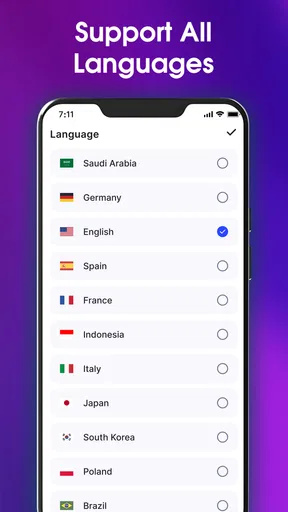
- Supports multiple languages effortlessly.
Limitations of Neon LED Keyboard: RGB & Emoji
- Frequent ads can interrupt usage.
- Some themes require in-app purchases.
- Occasional lag on older devices.
- Limited font options available.
- May consume more battery on high brightness.
Other Releases by Maxlabs Personalization Tools
View All
Edge Lighting: LED Borderlight
Personalization4.6

Rolling Icon: 3D Wallpaper
Personalization4.4

Fluid Magic: 3D Live Wallpaper
Personalization4.4

Themes: Widgets & Icon Changer
Personalization4.7
Similar Picks in This Category
View All
Microsoft SwiftKey AI Keyboard
SwiftKey4.3

Wallpapers
Google LLC4.1

Zedge™ Wallpapers & Ringtones
Zedge4.7

Yandex Browser with Alice AI
Direct Cursus Computer Systems Trading LLC4.3

Ringtone Maker:create ringtone
Big Bang Inc.4.7

Fonts Keyboard
Fonts Keyboard3.9
Frequently Asked Questions
What features does Neon LED Keyboard: RGB & Emoji offer?
Neon LED Keyboard: RGB & Emoji offers a dynamic typing experience with customizable RGB lighting effects and a wide array of emojis. The app includes various themes, fonts, and sound effects that can be tailored to your preferences. It also supports multiple languages and provides a smooth auto-correct feature to enhance typing efficiency.
Is Neon LED Keyboard compatible with all devices?
Neon LED Keyboard: RGB & Emoji is compatible with most Android devices running version 4.1 and above. For iOS, it supports devices operating on iOS 9.0 or later. It’s recommended to check your device’s compatibility in the app store before downloading to ensure optimal performance.
Does Neon LED Keyboard affect battery life significantly?
While the app's vibrant lighting effects and animations can consume more power compared to standard keyboards, its impact on battery life is generally minimal. The app is optimized to balance performance and efficiency, but users concerned about battery usage can opt for simpler themes and disable excessive animations.
How secure is Neon LED Keyboard with personal data?
Neon LED Keyboard prioritizes user privacy and security. It doesn’t store or transmit personal data such as passwords or credit card information. However, like any third-party keyboard, it requires access to certain device features. Users should review the app’s permissions and privacy policy to ensure comfort with its data handling practices.
Can I customize the keyboard layout in Neon LED Keyboard?
Yes, Neon LED Keyboard allows users to fully customize their keyboard layout. You can adjust key sizes, positions, and even add shortcut keys for emoji or frequently used phrases. This flexibility makes it easy to tailor the keyboard to your personal typing habits and improve overall efficiency.
